
Biometric
Staff keep punching at the gate. PagarOK pulls those punches into the same attendance register as every other method, so HR stops collecting USB reports.
Product
PagarOK is the workspace HR opens to close a month: who was present, what they earned, what was deducted, and what finance needs to pay.
Book a demoAttendance
Staff keep punching at the gate. PagarOK pulls those punches into the same attendance register as every other method, so HR stops collecting USB reports.
Field staff and site teams mark attendance with a photo. You can limit check-in to a geofence so a punch only counts inside the right place.
A face check-in marks attendance without a shared fingerprint reader. It suits high-traffic shifts where queues at the gate cost time.
Power cuts, missed punches, and on-site corrections still happen. A supervisor can add or amend attendance, and the change stays visible in the register.
Mobile apps
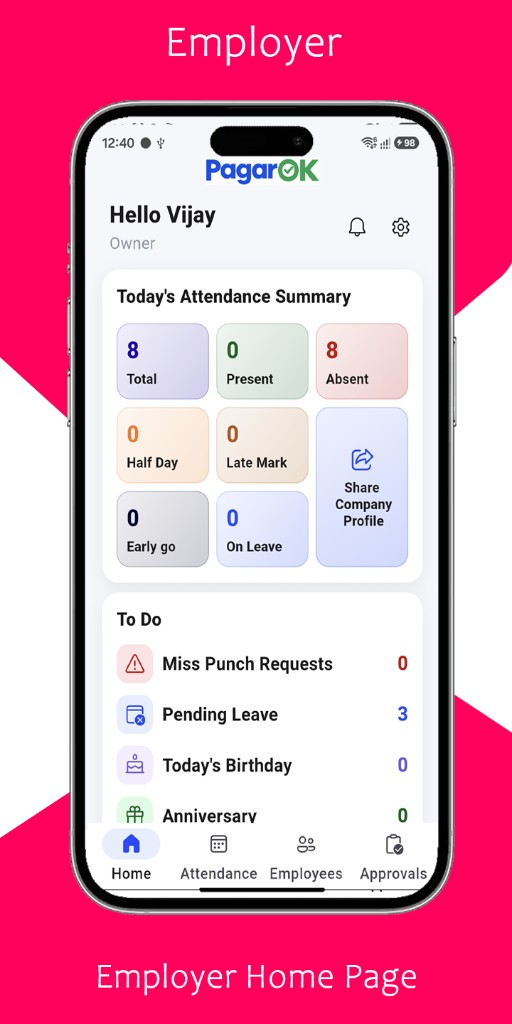
Browse employer home, employees, and approvals, or the employee app for attendance, salary, requests, and the digital ID card.
See present, absent, leave, and pending tasks before the day runs away.
Salary
Attendance, shift rules, overtime, allowances, unpaid leave, advances, and loans feed the same calculation. HR checks exceptions, then shares slips and exports the bank file.
Missing punches and unapproved leave stay visible until someone resolves them.
Earnings and deductions calculate from the employee master, not from a copied sheet.
Slips go to the employee app. Finance keeps the bank export with the run.
People operations
Define types and balances. Employees apply in the app. Approvals update the salary run when leave is unpaid.
A rotating roster stays on the person. Late marks follow the shift they were assigned, not a single office clock.
Record the amount once. Recovery continues on later runs until the balance reaches zero.
Owners can see a punch as it happens. Employees can be told when a payment or leave decision is recorded.
Branch attendance stays separate, with a combined view for the owner. Scale adds another company in the same login.
Supervisors correct attendance. HR runs payroll. An owner can see both without sharing one password.
Reports
Formats stay readable for a supervisor, an accountant, and a bank upload. Open them for one site or for the company.
See which plan includes each reportSee it on your rules